How To Load SCOM SIM? Easy For SCOM Card Load & Online Recharge
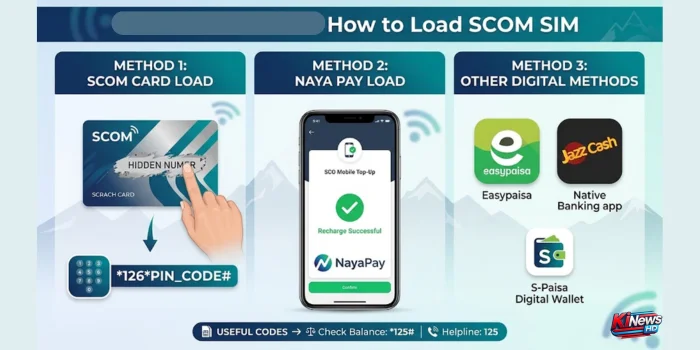
Staying connected on the SCO network doesn’t have to be complicated. There are two primary ways to get your balance credited: the traditional scratch card method and modern digital wallets. Below is the step-by-step breakdown of each method.
Method 1: Using a Scratch Card (SCOM Card Load)
If you have purchased a physical scratch card from a local retailer, performing an scom card load takes less than a minute.
- Scratch off the protective legal coating on the back of your card to reveal the 14-digit or 16-digit hidden PIN number.
- Open your mobile phone’s dialer.
- Enter the official USSD string: *126*<Card_PIN_Number># (e.g., *126*12345678901234#).
- Press the Call button.
You will receive an instant on-screen notification and an SMS confirming that your balance has been successfully updated. Alternatively, you can dial 125 from your SCOM SIM and follow the automated IVR voice instructions to enter your card number.
Method 2: Digital Wallets and Mobile Apps (Online SCOM Load)
If you don’t have access to a physical shop, getting an online scom load through mobile financial apps is highly convenient.
You can easily top up your account using major Pakistani fintech and banking platforms:
- S-Paisa Digital Wallet: The native digital financial service provider for SCO. You can load your wallet and instantly transfer balance to any SCOM number.
- Easypaisa & JazzCash: Navigate to the “Mobile Load” or “Bill Payments” section, select SCO/SCOM, enter your mobile number, and choose your desired amount.
- Commercial Banking Apps: Most mainstream retail banks now list SCO under their utility bill or mobile top-up menus.
Read About: SCOM SIM Number Check Code
Loading SCOM via NayaPay App
Using fintech apps is the most convenient way to get an instant scom load without leaving your home. NayaPay has made it incredibly straightforward to recharge your SCO connection directly from your digital wallet.
- Open the NayaPay App: Log in to your account using your biometrics or MPIN.
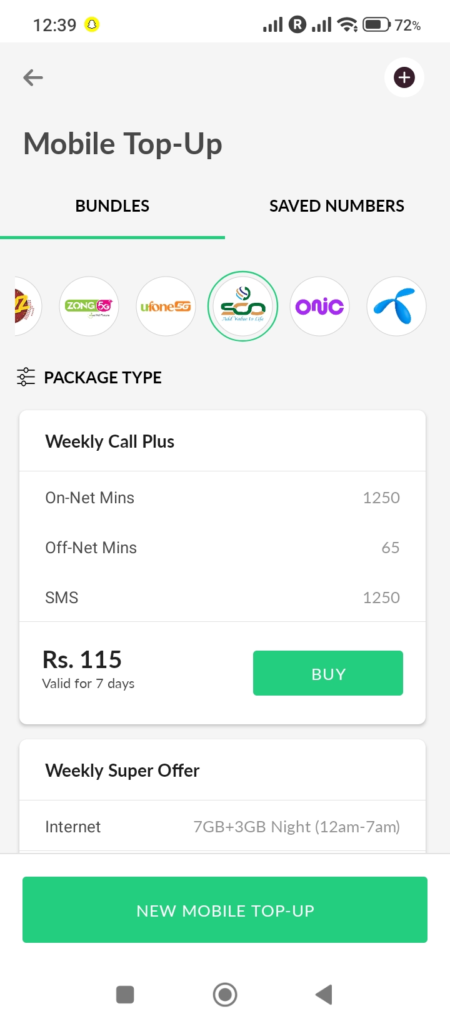
- On the home screen, tap on the Mobile Top-Up .
- Select Network: Scroll through the list of operators and select SCO (SCOM).
- Select Mobile Top-Up: Tap on New Voucher/Top-Up and choose the Postpaid/Prepaid option depending on your connection.
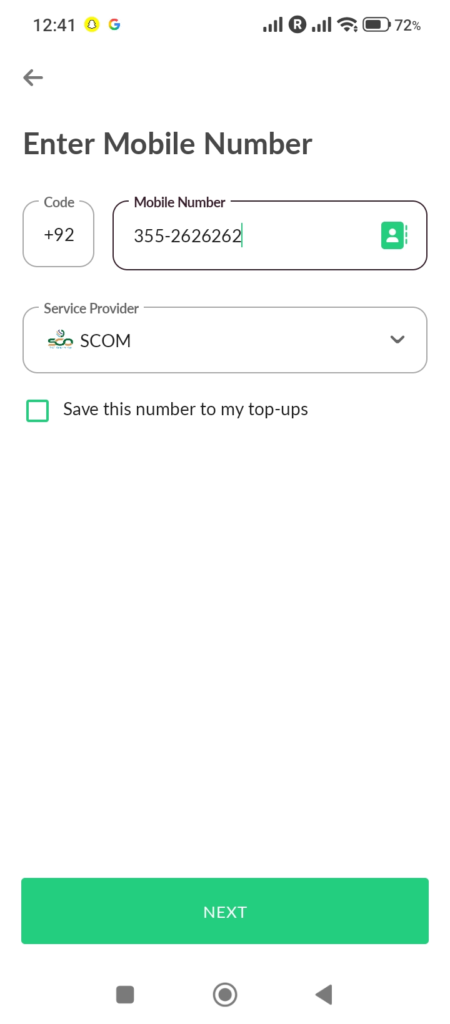
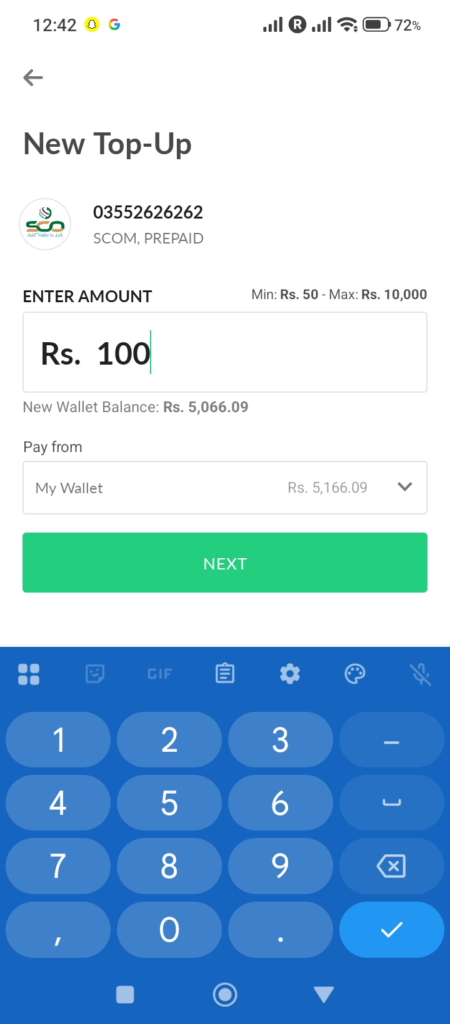
- Enter Details: Type in your 11-digit SCOM mobile number and click next.
- Confirm Transaction: enter the amount you wish to load., tap Next, and enter your 4-digit NayaPay MPIN Or finger print to authorize the payment. Your balance will be credited instantly.
Read About: SCOM Balance Check Code
Troubleshooting Common Upload & Loading Issues
If your attempt to load your card fails, keep these quick tips in mind:
- Card Lockout: If you enter an incorrect card PIN code three times consecutively, your SIM’s recharge facility might temporarily lock for security reasons. If this happens, wait a few hours or contact customer support.
- Incorrect Format: Ensure you do not add any spaces or characters between the *126* prefix and the
#suffix. - Network Delay: During peak evening hours or severe weather changes in mountainous regions, USSD code responses might time out. Check your balance via *125# before trying the card load a second time to ensure it didn’t already process silently.
About Author

- Muhammad Saif is an experienced SEO content and news writer with 4 years of expertise in creating engaging, optimized content. Skilled in keyword research, SEO strategy, and crafting timely news articles, Muhammad Saif helps brands boost visibility and connect with audiences. Known for simplifying complex topics, Muhammad Saif delivers impactful content that informs and inspires.