
SCOM Internet Settings 2026 Manual APN Configuration for 4G/5G
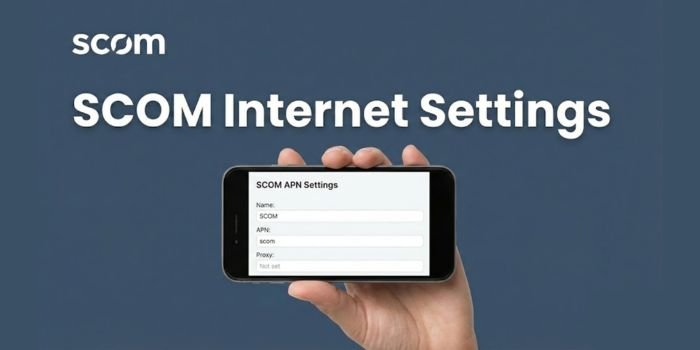
Having a high-speed SCOM 4G or 5G connection is only useful if your device is configured to recognize the network. While most modern smartphones receive these settings automatically upon SIM insertion, if not then you have to add SCOM Internet APN settings for 2026 manual intervention is often required for imported handsets or after a factory reset.
SCOM Internet Settings Manual Process
SCOM Internet APN Settings Table
To manually set up your internet, you must create a new APN profile with the following parameters. Please leave all other fields (Proxy, Port, Password, etc.) as “Not Set”.
| Field Name | Configuration Value |
| Name | SCO4G |
| APN | |
How To Setup SCOM Internet on Android?
If you are using a Samsung, Xiaomi, or any other Android device, follow these steps:
- Go to Settings > Connections > Mobile Networks.
- Tap on Access Point Names (APN).
- Click the Add button or the “+” icon in the top right corner.
- Enter the details from the table above exactly as shown.
- Save the Settings: Tap the three dots in the corner and select Save.
- Select the new “SCO4G” profile and restart your phone.
How To Setup SCOM Internet On iPhone (iOS)
For iPhone users, the process is slightly different:
- Go to Settings > Mobile Data (or Cellular).
- Tap on Mobile Data Network.
- Under the Mobile Data section, type SCOM in the APN field.
- If you want to use your phone as a hotspot, scroll down to the Personal Hotspot section and enter
scomin that APN field as well. - Return to the previous screen to auto-save and restart your iPhone.
Why Is My SCOM Data Not Working?
If you have applied the settings above but still cannot browse, check the following:
- Data Roaming: If you are outside AJK/GB (roaming in other parts of Pakistan), you must turn on Data Roaming in your settings.
- Check Balance: Use the SCOM Balance Check Code to ensure you have an active SCOM Internet Package.
- Network Mode: Ensure your network mode is set to 4G/LTE/5G (Auto Connect) rather than 2G/3G only.
- Re-Verification: Dial *125# to check if your data volume has been exhausted.
Frequently Asked Questions (FAQs)
While you can try sending an empty SMS to 611 to receive automatic settings, manual configuration (as shown above) is 100% reliable for all smartphone models.
Yes, the APN SCOM is universal and supports both 4G and 5G network speeds where coverage is available.
This usually happens if the MCC (410) or MNC (02) fields are entered incorrectly. Always ensure these two values match your SIM card’s regional identity.
About Author

- Muhammad Saif is an experienced SEO content and news writer with 4 years of expertise in creating engaging, optimized content. Skilled in keyword research, SEO strategy, and crafting timely news articles, Muhammad Saif helps brands boost visibility and connect with audiences. Known for simplifying complex topics, Muhammad Saif delivers impactful content that informs and inspires.
Latest News!
 News02/14/2026PSL 11 Teams Squad 2026 Complete, Prices, Catagory & Country
 Sports02/14/2026PSL 11 Auction 2026: Steve Smith Breaks Records as Direct Signing
 Sports02/10/2026The Rizwan Bidding War: The Hunt for the Ultimate Captain
 Sports02/10/2026Multan Sultans Rebranded to ‘Rawalpindi’ After Record PKR 2.45 Billion Sale



One Comment